HALO Field
Open the job. See the scope and assigned crew. Update services, add photos, flag missing materials, and ask dispatch without leaving the work.
Field updates → shared job record
HALO FOR VENDORS & FIELD TEAMS
Your crew. Your back office. Your property managers.
Finally working from the same page.
Powered by HALO. Backed by Archangel Contractors.
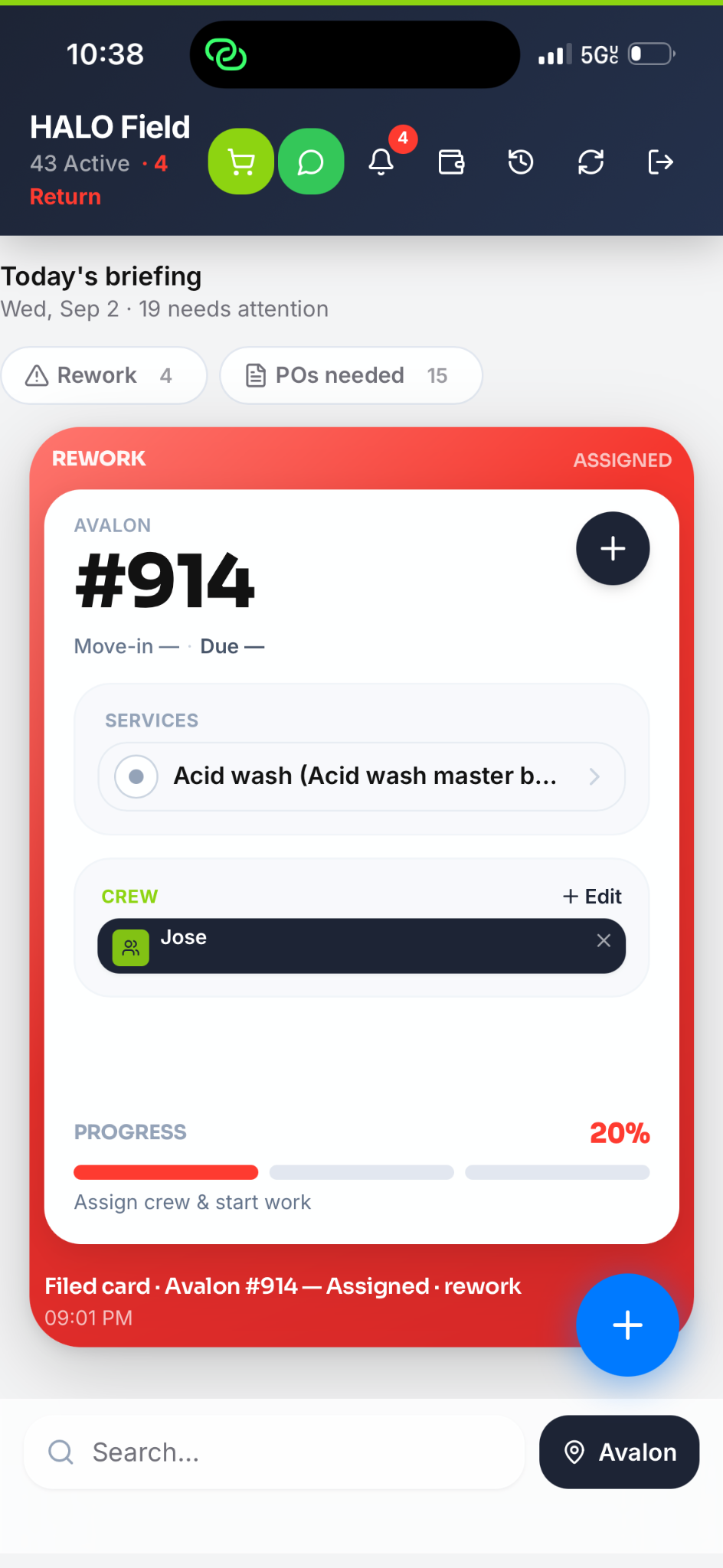
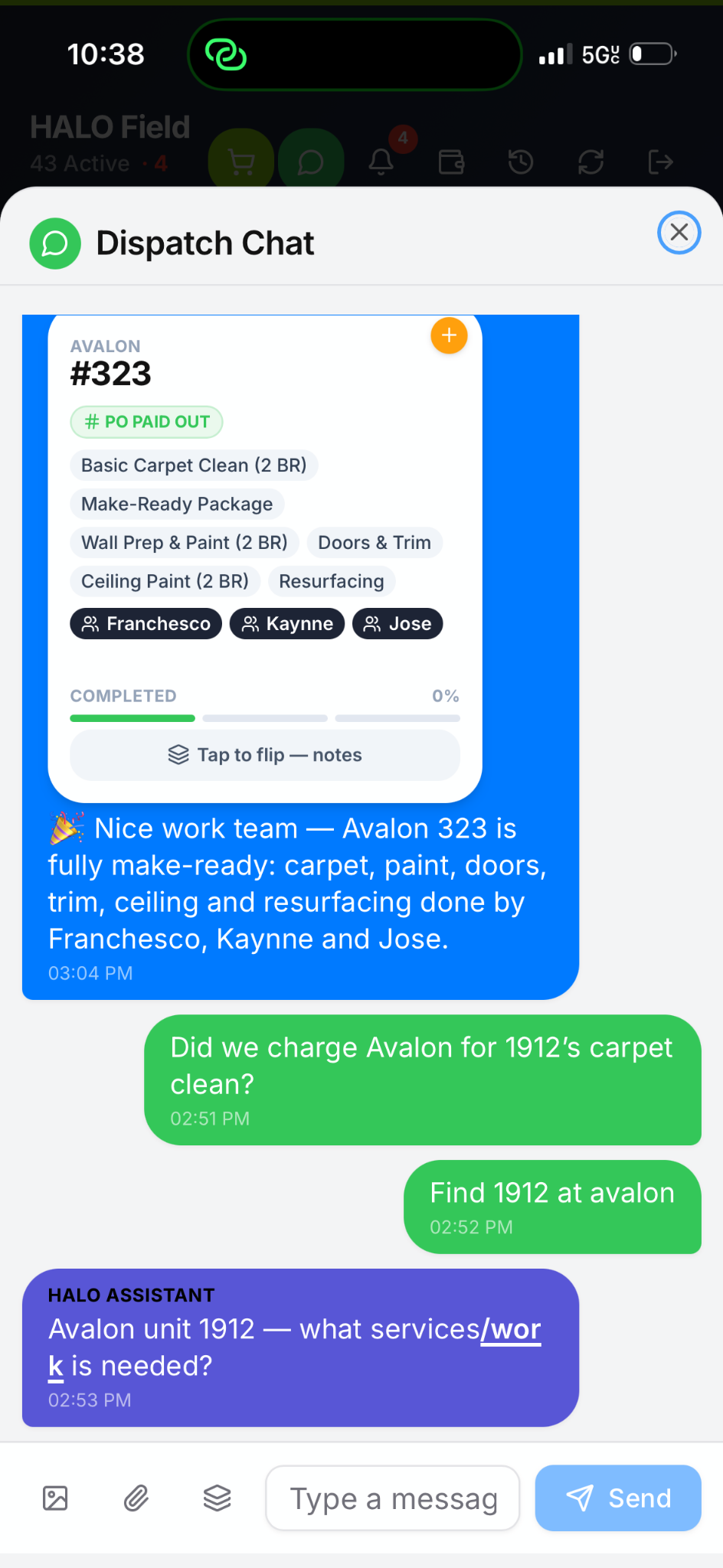
Actual HALO Field screenshots. Static interface previews, not live job feeds.
THE COMMUNICATION BRIDGE
A missed message can become a missed deadline. HALO brings a fragmented industry together around one job record—so the next person has the context to act.
Open the job. See the scope and assigned crew. Update services, add photos, flag missing materials, and ask dispatch without leaving the work.
Field updates → shared job record
Structure the job with AI assistance. Dispatch crews, coordinate change orders and callbacks, manage crew pay, and prepare the property invoice.
Dispatch decisions ↔ field context
Follow progress, view scope, add PO details, and discuss or approve changes with the vendor back office—on the same recognizable unit card.
Manager approvals → clear next steps
One connected job. The right view for each role.
Explore the manager experience ↗INTELLIGENCE THAT GETS TO WORK
HALO’s AI assistance helps organize job details and find the context your team needs. The back office stays in control of the scope, crew assignments, and next move.
Bring the unit, route, start time, and work sheet into one clear handoff. Less translating instructions. More getting started.
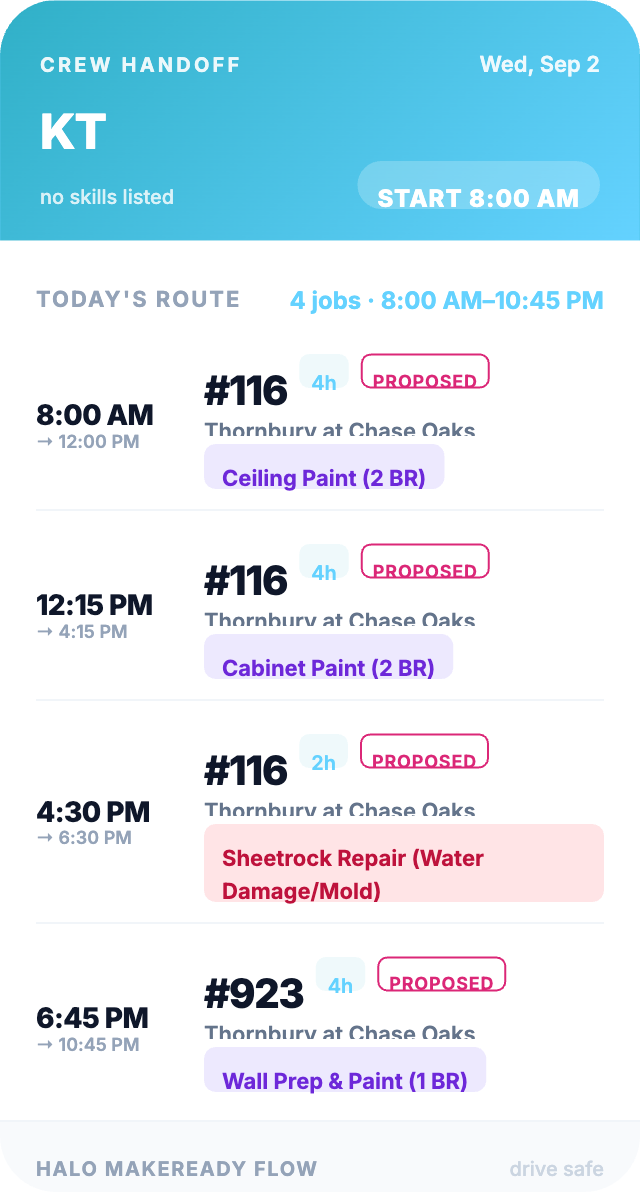
Connect crew activity with the property and unit. GPS visibility depends on enabled location sharing and crew permissions.
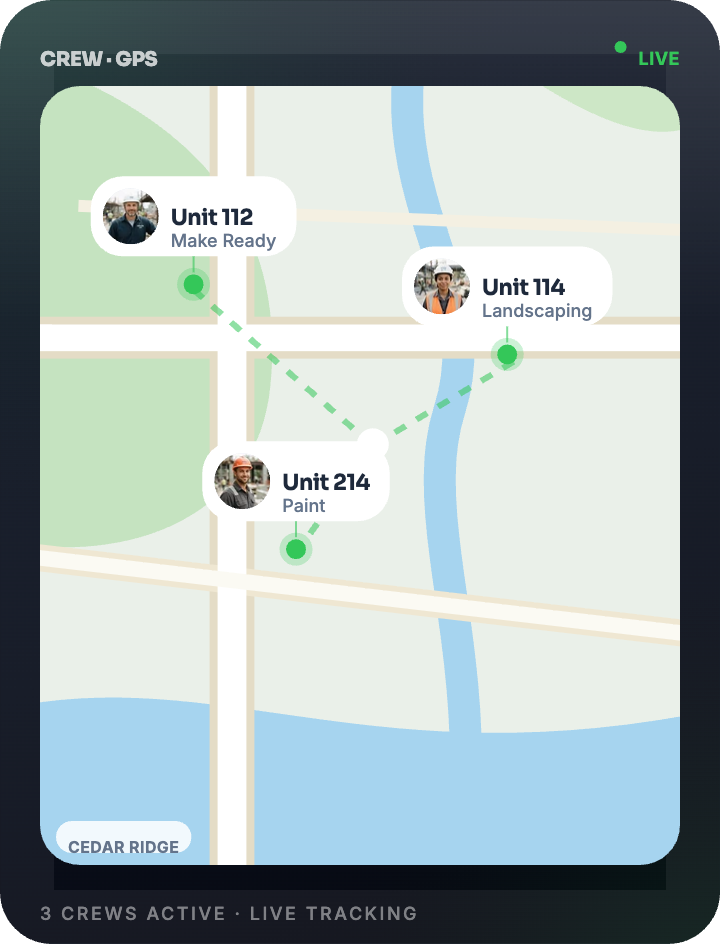
AI assists. Your team reviews and makes the final decisions.
BUILT FOR THE PEOPLE DOING THE WORK
A field app that keeps the next action close. The job stays organized while the crew stays moving.
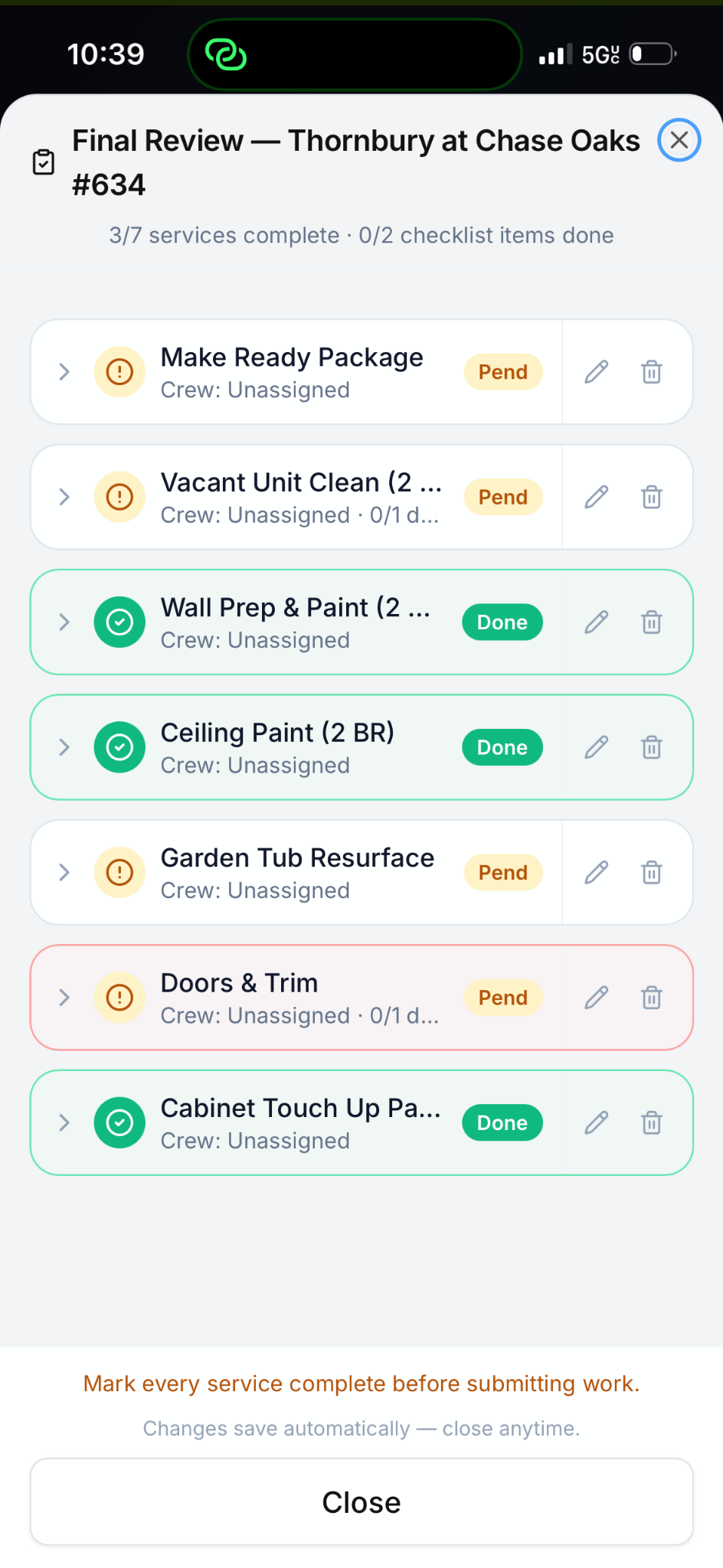
Review every service before submitting the job. Completed work and pending items stay visible to the crew and dispatch.
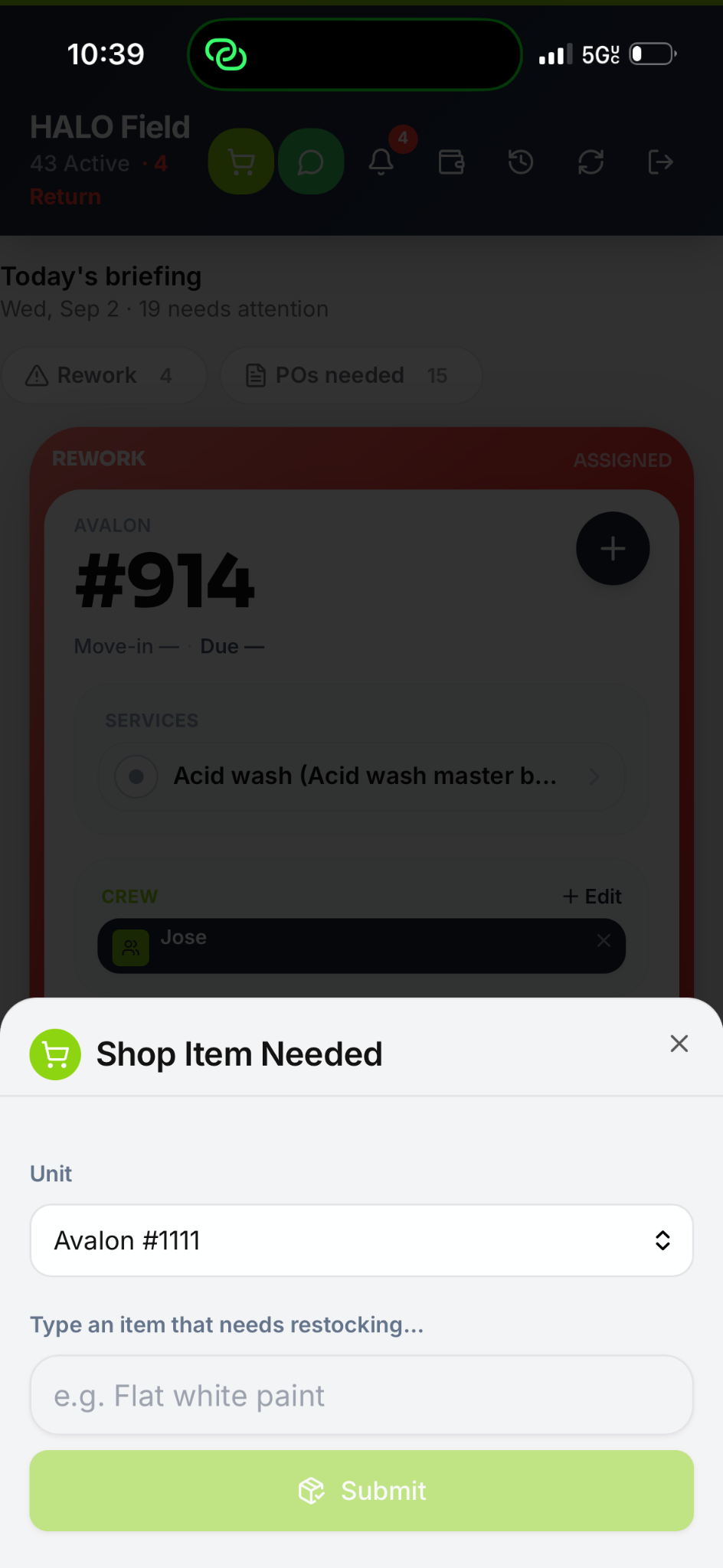
Send a restock request tied to the unit. Shopping needs have a place in the job—not just a text someone might miss.
FROM FIRST DISPATCH TO FINAL INVOICE
The signature cards carry the story. New work, changes, callbacks, and completed services remain connected to the unit that started it all.
MAPLE PARK
SERVICES
All 3 services complete
THE LAURELS
SERVICES
CREW
1 service left to review
Build the scope, assign the crew, and give every job a clear starting point.
Keep proposed work, questions, and property-manager approvals together.
Flag the problem, coordinate the response, and track follow-up on the job.
Keep assignments, completed work, and crew-pay tracking together in the back office.
Bring services, approved changes, and PO context into one organized billing workflow.
Illustrative job cards in the HALO fixed-seed design. Feature availability, payment processing, and permissions depend on the vendor account setup.

TECHNOLOGY WITH BOOTS ON THE GROUND
HALO is the bridge between vendors and property managers—giving great teams the clarity to work like one.
BRING YOUR TEAM TOGETHER
See how HALO can connect your field crew, back office,
and property managers in one seamless experience.
Explore the workflow. Review your team’s setup. Get started with Archangel.